The idea is simple. Raise my wrist, talk to Iris, get an answer. No phone, no laptop, no context switch. The kind of thing that should take a day to build and then just work.
It did not take a day.
Why the watch
The phone is almost always in a pocket or on a desk. The watch is always on my wrist. For quick voice queries - what's on my calendar today, add something to my note, or update something in my task list - reaching for the watch is faster and less disruptive than unlocking a phone.
Apple Watch already has Siri. But Siri is not Iris. Siri does not know my memories, my agents, my tools. It does not have barge-in. It does not persist conversations. It does not feel like talking to something that actually knows you.
So I built a native watchOS voice app.
The audio problem
The watch has a speaker and a microphone in the same small enclosure. When Iris speaks through the speaker, the microphone picks it up. The model hears its own voice and thinks someone is talking. The session collapses into an echo loop.
The fix is acoustic echo cancellation. iOS and watchOS have this built in, but you have to ask for it explicitly. Setting the AVAudioSession category to .playAndRecord with mode .voiceChat enables hardware AEC on the watch. The echo is cancelled before the microphone tap receives any audio.
The remaining issue is timing. Even with hardware AEC there is a physical tail - the last word reverberating in the watch's enclosure after playback ends. If the microphone reopens immediately, it still picks up this tail. So there is a grace period after audio finishes where the microphone stays closed. 400 milliseconds is comfortable on watch hardware. Long enough to let the room settle, short enough that the next turn does not feel laggy.
Barge-in
Barge-in means talking over Iris while she is still speaking. The session interrupts immediately, audio stops, and it returns to listening without tapping anything.
The implementation sits in the microphone tap. Every audio buffer computes an RMS level - a rough estimate of how loud the input is. If the level crosses a threshold during assistant playback and stays above it for several consecutive frames, it is treated as deliberate speech rather than speaker bleed. Playback is cancelled, the WebSocket receives an interrupt signal, and the session returns to listening.
Threshold tuning matters. Too sensitive and any noise interrupts. Too conservative and you have to raise your voice. The current values work well with hardware AEC cleaning up most of the speaker echo. The baseline noise floor is low enough that normal conversation-level speech triggers reliably.
The layout problem
Watch screens are small. The Series 9 45mm face is 396x484 logical pixels, and a meaningful portion of that belongs to the time and navigation chrome. Fitting a live transcript, a visual indicator, a state label, a provider badge, and session controls into what remains is a real geometry problem.
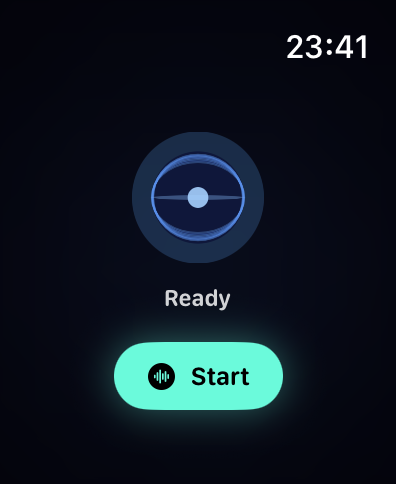
The first version used a large animated orb. A rotating sphere cage with seven elliptical rings oscillating to simulate 3D rotation. It looked interesting in isolation but ate 40 percent of the vertical space. Controls kept getting pushed off the bottom of the screen whenever transcript text grew.
The core mistake was treating the orb as the centrepiece. It is not. It is an information display - communicating state through motion and colour. A waveform communicates the same thing in 28 points of height instead of 85.
So that is what it is now. During an active session: 13 animated vertical bars with rounded caps, each moving with a phase offset. The pattern changes by state. Idle barely moves. Listening ripples. Speaking goes tall and fast. Thinking sweeps slowly left to right. It reads instantly and leaves room for everything else.
The orb still lives on the idle screen where there is nothing competing for space.
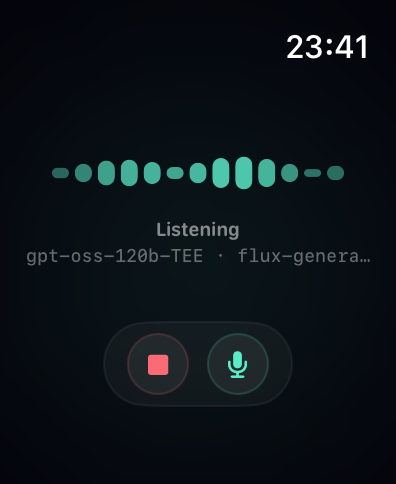
Controls are in an independent ZStack overlay, completely decoupled from the content layout. They cannot be pushed by growing text because they are not in the same layout tree. That is the key insight: padding is a hard constraint SwiftUI cannot compress, but a Spacer inside a VStack is flexible and gets crushed when content grows. The independent overlay sidesteps the problem entirely.
Transcript and context
The transcript shows the active speaker only, switching with a crossfade. After Iris finishes speaking, her last sentence stays on screen until you start talking. So you always have context for what was just said.
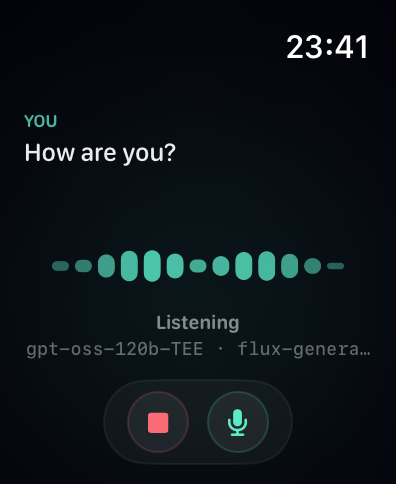
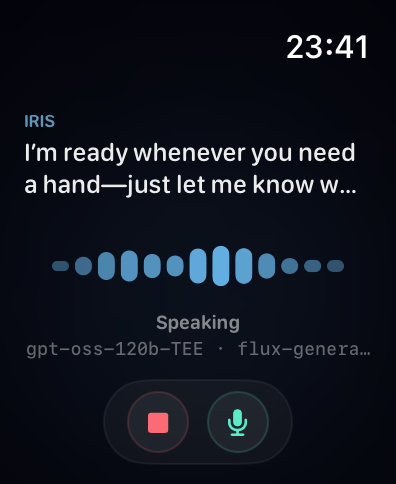
Long transcripts do not accumulate. The view model detects sentence boundaries - a full stop, question mark, or exclamation mark followed by a space - and resets the visible chunk to whatever comes after. Each sentence boundary triggers a fade and advance. The text zone is a fixed height. Nothing overflows, nothing shifts the layout.
The current provider and inference model show in a small monospaced line below the state label. Dim, unobtrusive. There if you want it, ignorable if you do not.
Gestures
The watch has limited input surface. Every gesture has to earn its place.
Double tap starts or stops the session. On watchOS 11 and later, Apple exposes the hardware double tap as a first-class API via handGestureShortcut. A single hidden button at the root of the view handles both directions - start when idle, stop when active - so the gesture works regardless of which layout is on screen. No reaching for the stop button.
Swipe up anywhere on screen to mute or unmute the microphone. The gesture requires a clearly vertical stroke - the translation has to be upward by at least 40 points and more vertical than horizontal by a factor of 1.5. That rules out diagonal arm movements and horizontal scrolling without making it feel like you need to perform a deliberate flick.
Wrist flick was the obvious first choice for mute. Watchos does not expose it as a public API. The only way to detect it is to tap into CoreMotion's gyroscope and threshold on angular velocity, which is fragile and not tunable the way Apple tunes their own internal gestures. Swipe up is more reliable and just as fast once you know it's there.
The Digital Crown adjusts playback volume while Iris is speaking. It is bound in the [0, 1] range with haptic feedback at both extremes so you know when you have hit the floor or ceiling without looking at the screen. Crown input is ignored in all other states so it does not interfere with normal navigation.
What it feels like
Raise wrist. Double tap. Iris connects in a second or two. Ask something. She answers through the watch speaker. If she is mid-sentence and you have something to add, just speak - she stops, you go. Double tap again when you are done.
Everything said on the watch persists back to the conversation history. Switch to the iPhone app or web later and the full session is there.
What is next
The initial pairing requires the iPhone companion to be present once. After that the watch communicates directly with the backend using a stored bearer token. The long-term answer is watch-native auth that does not require pairing at all, but the current setup works for daily use.